 Bring Me Back
You didn’t decide to open it.
You reached for your pocket and the app was already open. Bring Me Back puts one quiet moment in that gap — breathe, reflect, or just wait — and hands the decision back to you.


7 ways to pause Website blocking No account needed
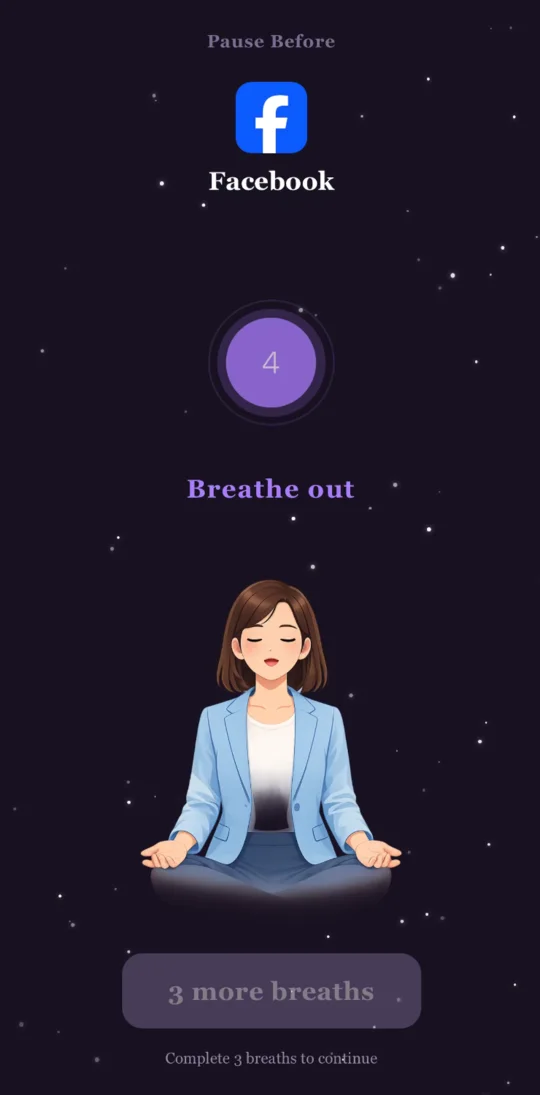
That was one 4-7-8 breath. That’s the whole idea.
How it works
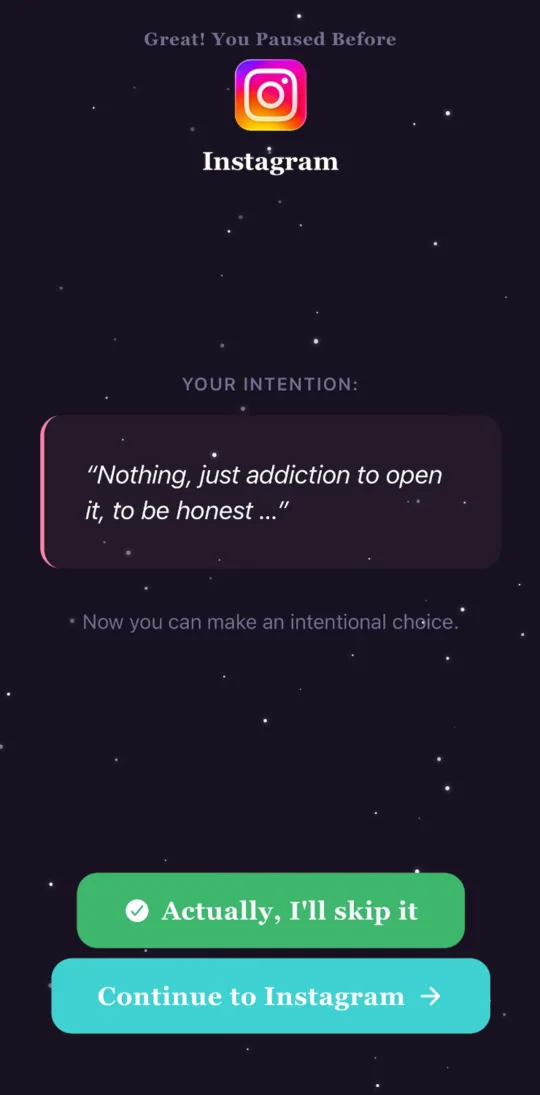
This is what opens instead.
Pick the apps that pull you in. When you open one, Bring Me Back steps in first with a short pause — then both buttons work. Continue, or step away. It is your choice every single time, and it is supposed to be.
- Choose your apps Up to 3 for free, unlimited with Premium.
- Take the pause Ten seconds, or two minutes. You pick a different one per app.
- Then decide Go in anyway, or put the phone down. Both are fine.
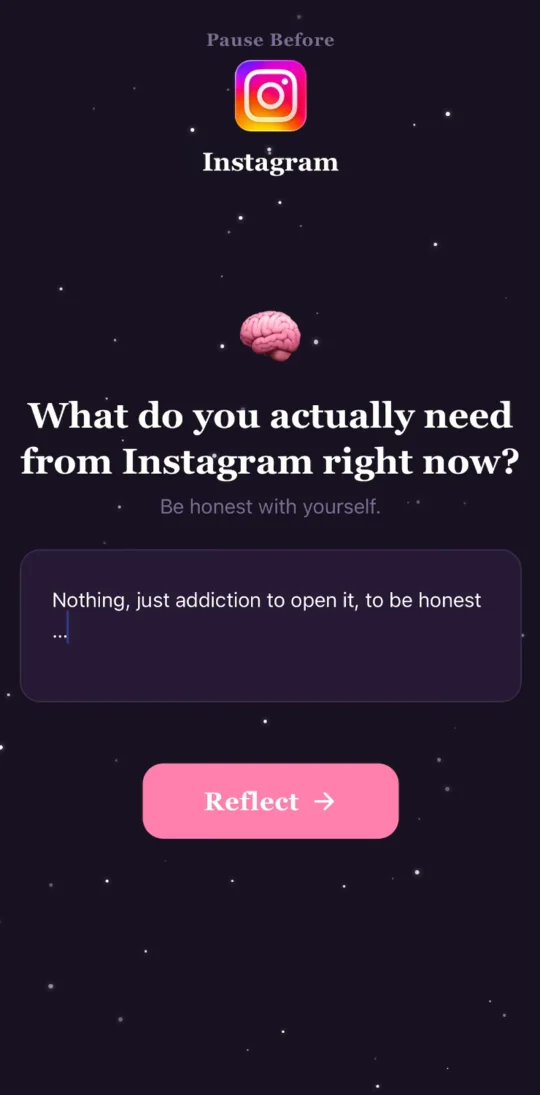
“What do you actually need from Instagram right now?”
That is the Intention pause, word for word. There is no wrong answer — and “nothing, honestly” is the one that changes things.
The pauses
Seven ways to stop for a second.
Pick a different one for each app.
Free
- 4-7-8 breathing · about a minute
- Quote · 10 seconds
- Delay · 15 seconds
Premium
- Box breathing · about a minute
- Intention · 15 seconds
- 5-4-3-2-1 grounding · about 2 minutes
- Gratitude · about a minute
Also in the app
Three more things, then that’s the whole app.
- Block websites on your phone Adult content is blocked free. With Premium you add your own list of sites, an always-allow list, keywords on Android, and strict mode — which keeps blocking switched on for a stretch you choose and won’t let you weaken it from inside the app. It is not a browser extension, and it doesn’t reach your computer.
- Hard Block, when a pause isn’t enough Android only Blocks an app outright, with no pause — opening it sends you back to the home screen. Timed focus sessions are free; “until I turn it off” sessions and per-app blocking come with Premium.
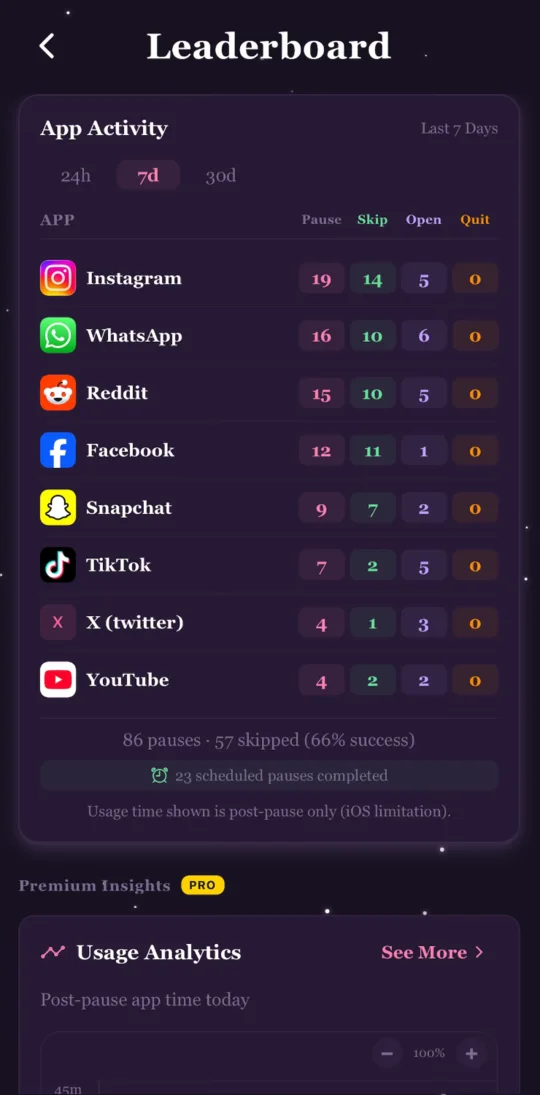
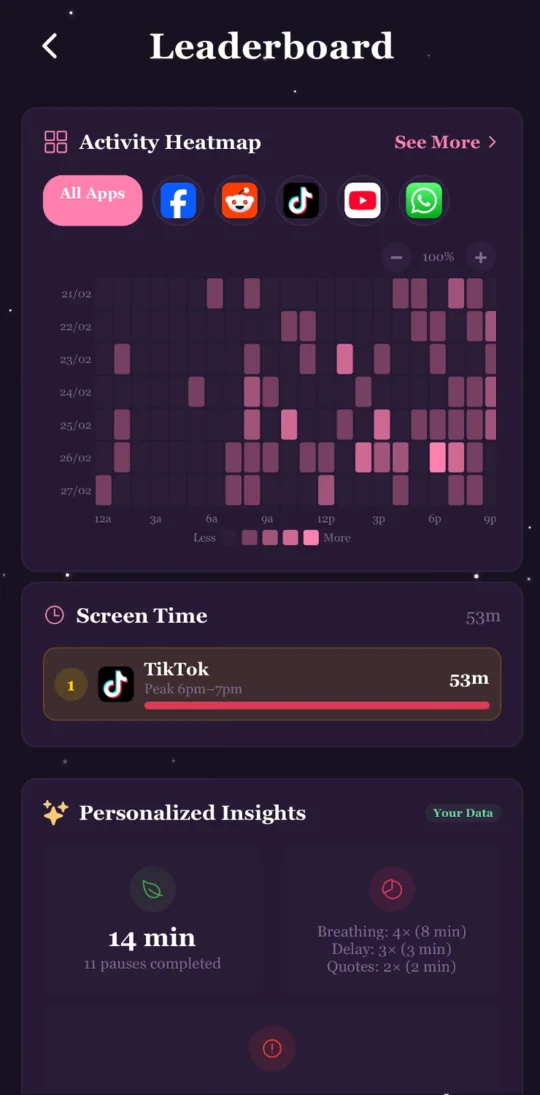
- See when the urge actually hits Your streak and today’s pauses are free. Premium adds 7- and 30-day history, a heatmap of which hours and days you reach for a phone, which pause works best for which app, and a reminder to take a mindful break at times you choose.
Patterns
Most people are surprised by the hour.
Not by which app — everyone knows which app. By the time of day it happens, and how consistent it turns out to be. That is the thing a heatmap tells you and a resolution never will.
Before you download
Setting it up, honestly.
It takes a few minutes, and it is different on each phone.
Android
- 1Choose the apps you want to pause.
- 2Switch on Accessibility for Bring Me Back when it asks. That is how the app notices one of your chosen apps has opened — it is not used for anything else.
- 3That’s it. Pauses happen on their own from then on.
iPhone
- 1Choose the apps you want to pause.
- 2Set up a personal automation in Apple’s Shortcuts app for each one. The app walks you through it screen by screen, including the newer Shortcuts layout on iOS 26.
- 3The pause appears when you open that app, and “Continue” takes you back in.
Website blocking on iPhone needs iOS 16 or later and uses Apple’s own Screen Time filter.
Straight answers
What it won’t do.
It won’t stop you.
Every pause ends in a button that lets you through, and you can always turn a permission off or delete the app. Strict mode makes website blocking harder to switch off for a while. That is the ceiling, on purpose — this is a moment to choose, not a cage.
It can’t block apps on iPhone. iOS
On iPhone it pauses apps and filters websites. Hard Block is Android only, because iOS doesn’t hand any app that power.
No website filter catches everything.
On Android, sites using encrypted DNS, another VPN already running, or apps with their own DNS settings can slip past — and only one VPN can be active at a time. It doesn’t filter your computer at all.
We don’t see your browsing — but be precise about it.
Blocked lookups are answered on your device and go nowhere. Lookups the filter allows are resolved through Cloudflare’s public DNS (1.1.1.1) rather than your network’s. The sites you choose to block, and anything you write in a reflection, never leave your phone. Read the privacy policy.
Want a door that doesn’t open?
Keep Me Out is our other app. It locks your whole Android phone for a time you set, and it does not negotiate. It has 1M+ downloads and 12.8K ratings on Google Play.
Breathe out.
Free to download for iPhone and Android.
Listed as “BringMeBack” on both stores.